A single photo tells you what a moment looked like. A collection of photos, strung together with motion, tells you what it felt like to live through it. That’s the shift image to video technology has made possible for anyone sitting on years of photos scattered across phones and albums.
Dreamina, powered by its latest and most advanced video generation model, Seedance 2.5, turns a handful of still photos into a cinematic memory reel that feels far closer to reliving a moment than simply looking back at it.
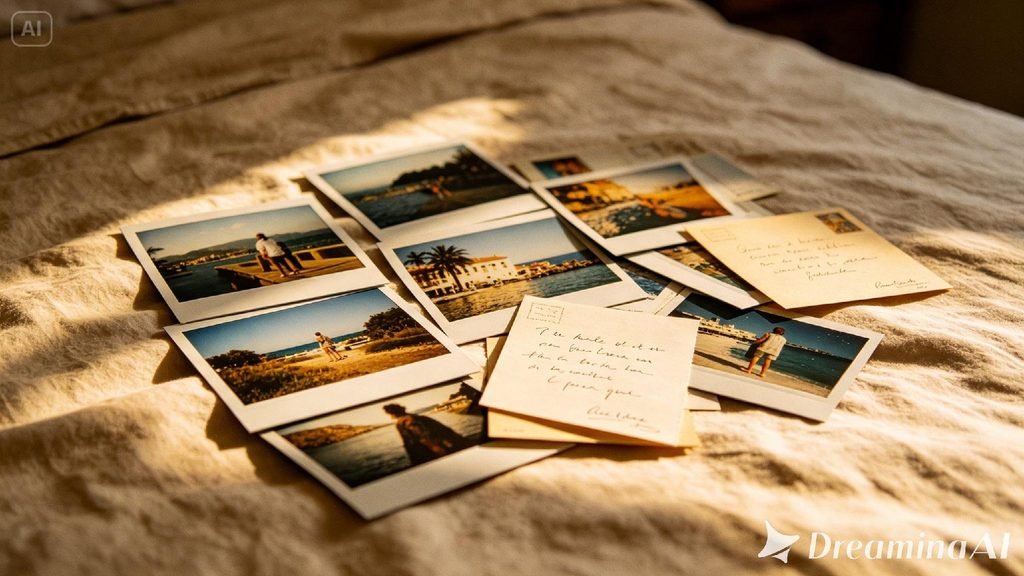
Why individual photos rarely tell the full story
Most meaningful memories aren’t captured in one photo — they’re scattered across several. A birthday might live in a handful of shots: blowing out candles, opening a gift, laughing mid-conversation. Viewed separately, each one is just a fragment. Turned into a short cinematic sequence, those same fragments start to feel like a single, continuous memory instead of a pile of disconnected snapshots.
The difference between a slideshow and a cinematic memory
Slideshows have existed for decades, and most of them feel the same — static images fading in and out to music. A cinematic memory reel goes further, adding subtle motion within each photo itself, so the moment feels alive rather than simply displayed:
- Gentle movement within each photo, not just transitions between them
- Pacing that mirrors the emotional rhythm of the memory
- A sense of continuity that makes separate photos feel like one unfolding scene
Preserving the reel for years to come
A cinematic memory reel is worth protecting the same way the original photos were. Saving finished clips in more than one place — a personal drive, a shared family folder, a printed QR code linking to the video — helps make sure a meaningful reel doesn’t quietly disappear the way old photos sometimes do when a phone is lost or an account is forgotten.
Treating the finished video as something worth archiving, not just sharing once, keeps the memory accessible for whoever wants to revisit it years later.
Building your memory reel with Dreamina
Step 1: Upload your photos and describe the motion for each
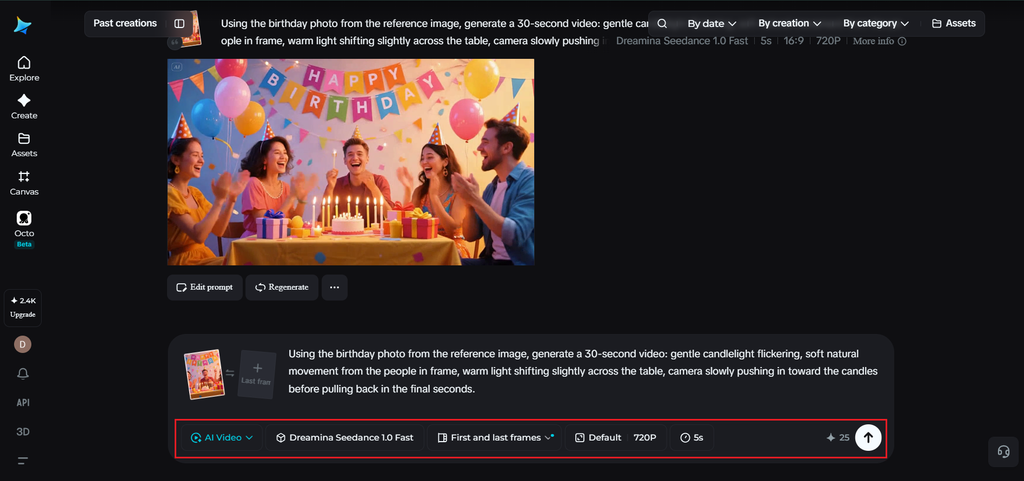
Sign in to Dreamina and open the “AI Video” section. Click “Add reference image” to upload a photo from your collection, then write a prompt describing the subtle motion you want within that scene.
For a 30-second clip, try: Using the birthday photo from the reference image, generate a 30-second video: gentle candlelight flickering, soft natural movement from the people in frame, warm light shifting slightly across the table, camera slowly pushing in toward the candles before pulling back in the final seconds.
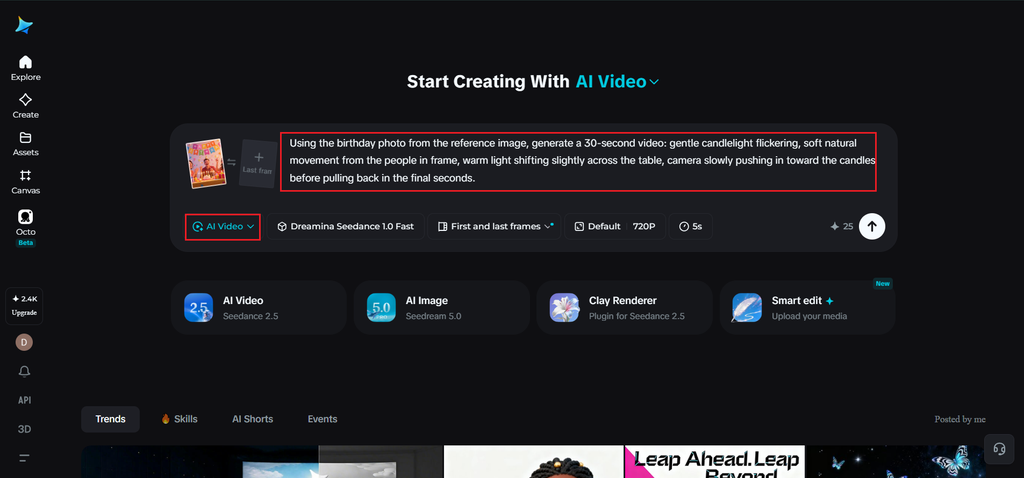
Step 2: Generate each scene with Seedance 2.5
Select the Seedance 2.5 model, choose your video length for each clip, then pick an aspect ratio suited to how you plan to share the finished reel — 16:9 for a full memory video, 9:16 if it’s headed to mobile or social sharing. Click Dreamina’s generate icon and let each photo come to motion.
Step 3: Combine, enhance, and export your cinematic memory
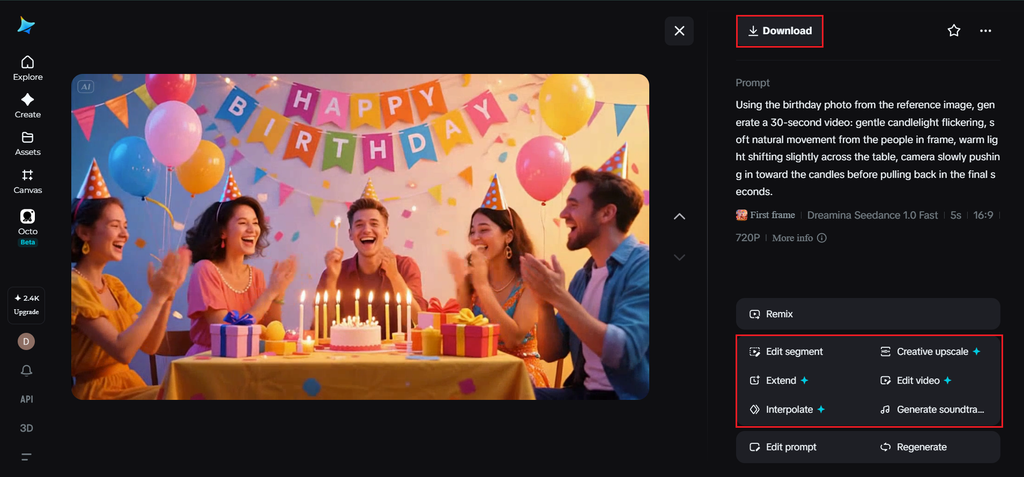
Refine each generated clip with Dreamina’s editing tools — Upscale for consistent detail across the collection, generate a soundtrack for music that ties the whole sequence together emotionally — then export the finished pieces and arrange them into your full memory reel.
Inside Seedance 2.5: Handling personal, sentimental footage with care
Keeping people consistent across multiple photos
When a memory reel features the same person across several different photos, Seedance 2.5’s improvements to multi-person consistency and its handling of the “twin” duplication issue help each stay recognizably themselves scene to scene, rather than drifting subtly between clips.
Longer scenes for fuller moments
Native generation now supports clips up to 30 seconds, with the “Ultra-long Video Generation (beta)” mode extending that range up to 180 seconds, giving a single cherished photo room to breathe rather than loop too quickly.
Natural motion, not the “AI look“
The model has significantly reduced the artificial quality that used to make generated footage look obviously synthetic, which matters especially for sentimental content, where anything that feels fake can undercut the emotional weight of the memory.
Precise local editing
Local editing allows small distractions — a stray object, an unwanted detail in the background — to be removed from a photo-based scene without regenerating the entire clip.
Choosing which photos belong in the same reel
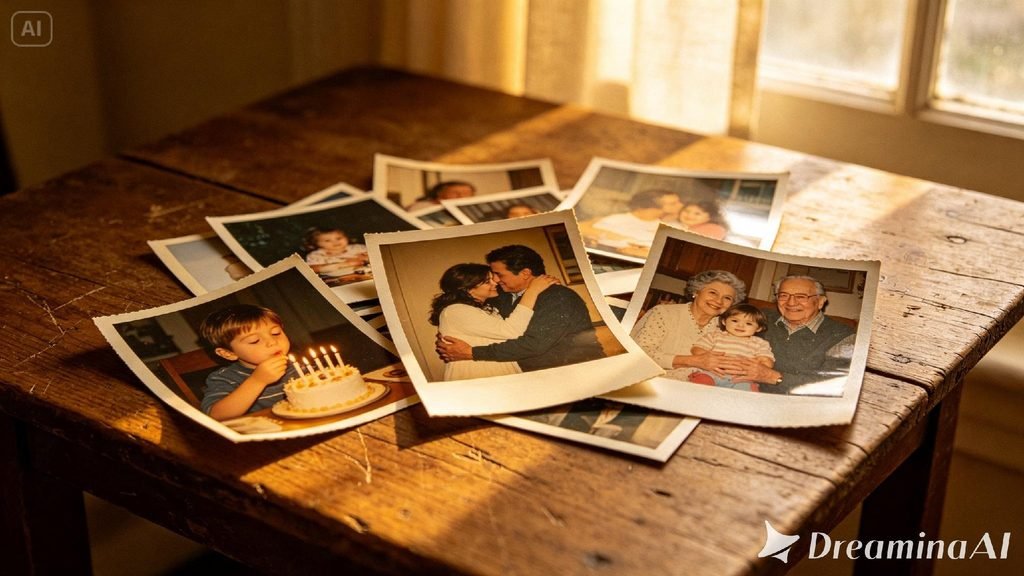
Not every photo from an event or era needs to make the final cut. The strongest memory reels tend to draw from photos that share a visual or emotional thread — the same day, the same person, the same season — rather than jumping between unrelated moments that don’t naturally belong together.
Matching music to the emotional arc of the reel
A cinematic memory reel benefits enormously from music that mirrors its emotional journey — starting softer for early, quieter moments and building gently as the collection moves toward its most significant memory. Dreamina’s soundtrack generation tool makes it simple to test different moods until one actually matches the feeling the photos are meant to carry.
Sequencing photos for maximum emotional impact
The order photos appear in matters as much as the photos themselves. Rather than following strict chronology, many of the most effective memory reels build toward an emotional peak — ending on the most meaningful photo in the collection rather than simply the last one taken.
Where these cinematic memory reels matter most
This format finds its place in anniversary gifts, milestone birthday tributes, memorial videos, and personal year-in-review content, where a handful of photos, brought gently to motion, often say more than a written caption or a static album ever could.
Final thought
A photo collection was never really a pile of separate moments — it was always one continuous memory, just scattered across different frames. With Dreamina and the emotional precision behind Seedance 2.5, that memory can finally move the way it was actually lived, one cinematic scene at a time.